
Silex is available as a mobile app (PWA) that you can install directly from your browser. You don’t need the App Store or Google Play. Once installed, Silex opens from your home screen like any other app.
Method 1: Install from the banner (recommended)
- Open Silex in your phone’s browser.
- A banner appears automatically at the top or bottom of the screen (iPhone, iPad and Android).
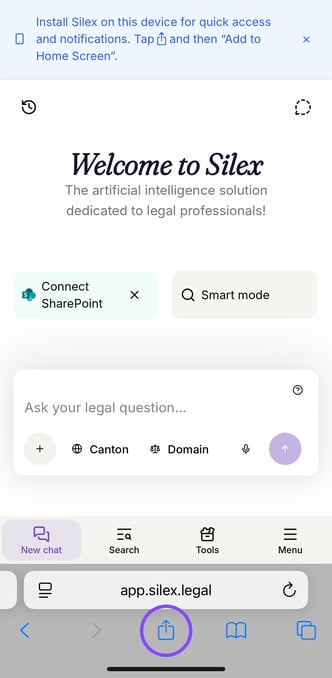
- Tap Install or Add to Home Screen.
The Silex app is installed in a few seconds.
Method 2: Install manually (if you closed the banner)
On iPhone / iPad (Safari)
- Tap the Share icon (the square with an upward arrow) at the bottom of the screen.
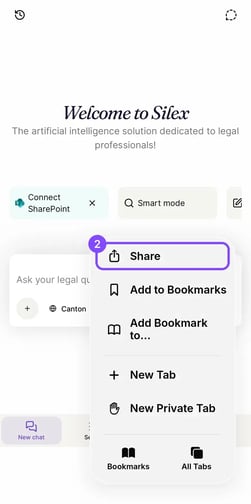
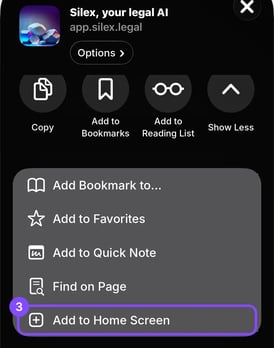
- Scroll down and tap Add to Home Screen.
On Android (Chrome)
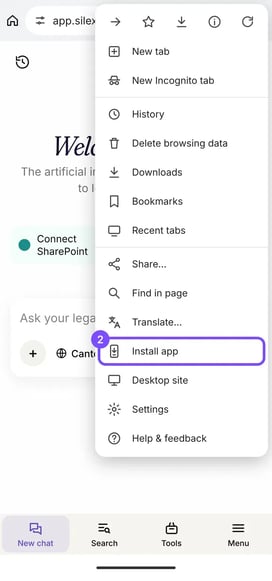
- Tap the three dots (⋮) in the top-right corner.
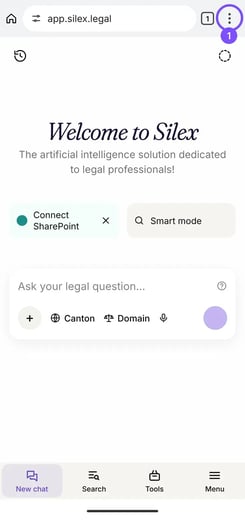
- Tap Install app (or Add to Home screen).
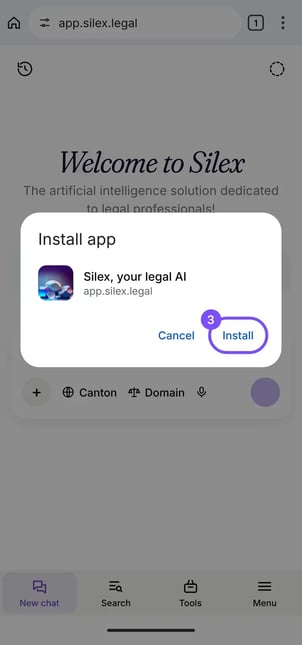
- Confirm by tapping Install.
The Silex icon now appears on your home screen.