
Where is the setting?
- Click your initials at the bottom left, then Manage organization.
- Open the AI models access tab.
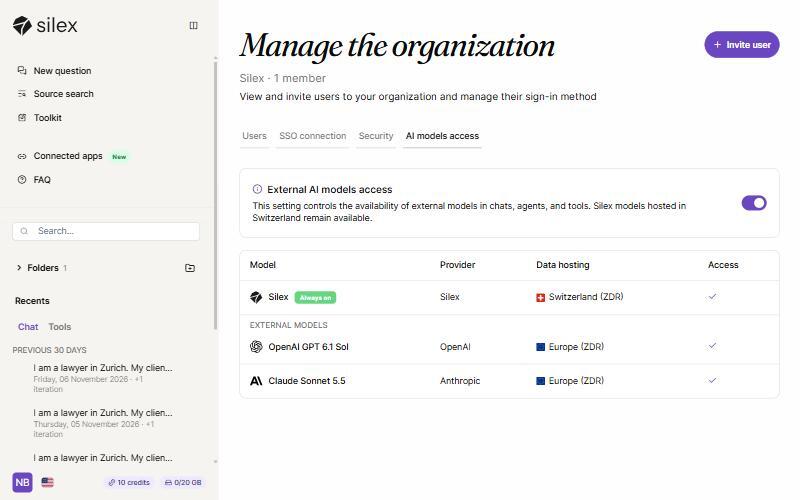
What does the switch do?
The External AI models access switch turns OpenAI GPT 6.1 Sol and Claude Sonnet 5.5 on or off for the whole organisation, in the chat, the agents and the tools. Silex, hosted in Switzerland, is marked Always on and stays available. The change applies straight away.
Can I allow one external model and block the other?
No. The switch covers both external models together. You can allow both, or keep your organisation on Silex only.
What do users see when external models are off?
Only Silex appears in the model list, in the chat and in the tools. There is no message: users who look for GPT or Claude should contact their admin.
Who can change this setting?
The organisation's Owner and Admins. See Organisation roles: Owner, Admin, Admin · Management only and Member.
When should I turn external models off?
When your firm's policy requires all processing to stay in Switzerland, or when you only want to use Silex. Conversations are stored in Switzerland either way.